 Ripple
Scrolling on the Toilet for Half an Hour
A lot of people grab the phone on the way to the bathroom, open a short video app, and stand up with numb legs half an hour later. Doctors keep saying long sessions on the toilet are bad for you, yet the feed keeps loading the next video and it is hard to stop on your own. Kids do it too. They say they need the bathroom, the door stays shut, and you hear videos playing inside. Nobody is watching in there, so willpower rarely wins, and it is easier to let the phone set the limit. The first part below is for adults limiting themselves, and the second part is for parents. Android and iPhone are both covered.
See it in 20 seconds
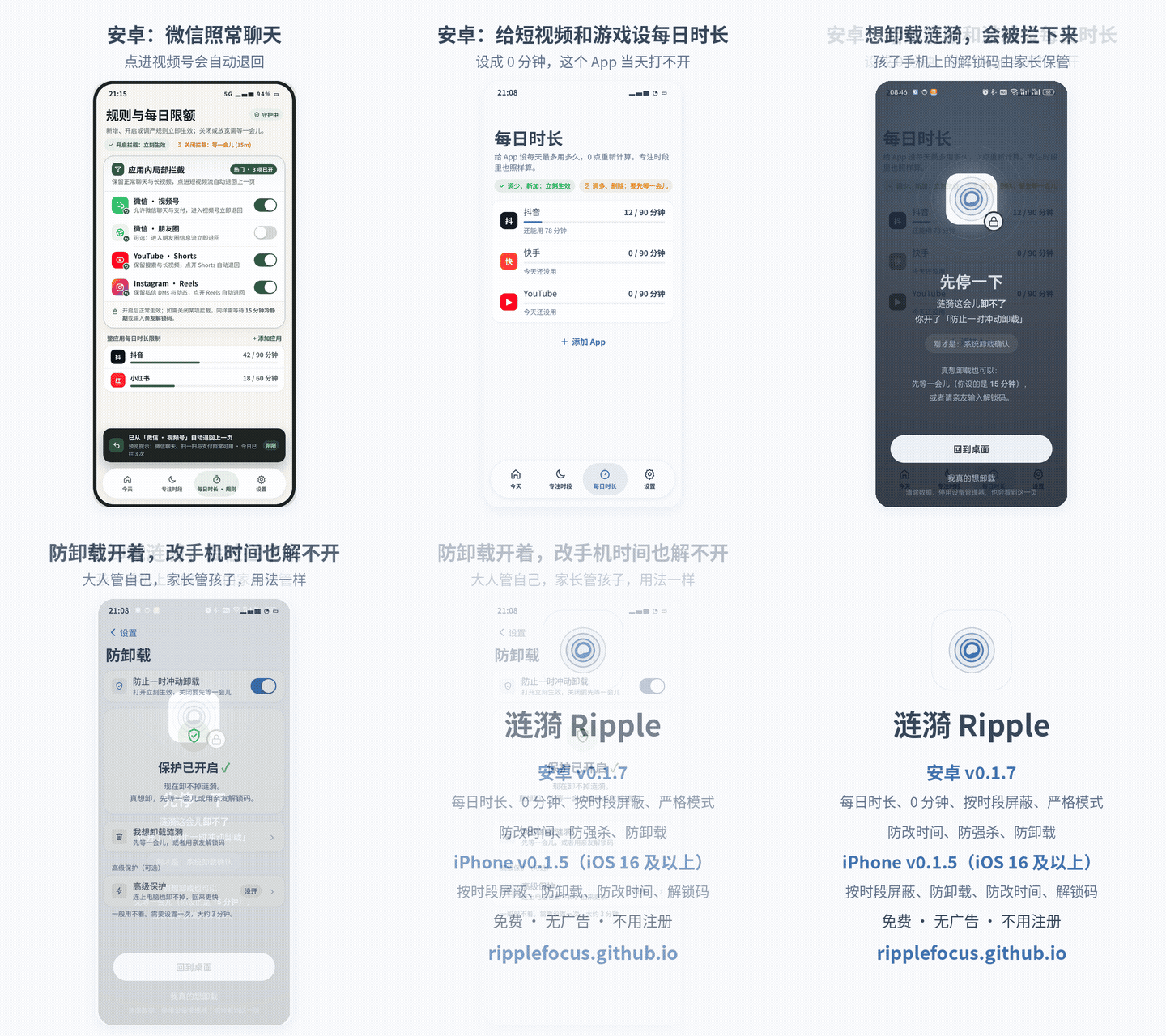
The demo shows the Android v0.1.8 screens with the Chinese interface. The last card lists what Android and iPhone each have. GIF version
Adults: keep a few minutes from turning into thirty
Give short video apps a daily limit
On Android each app can have a daily limit, such as 30 minutes for TikTok. Once it is used up, opening it in the bathroom only shows the block screen.
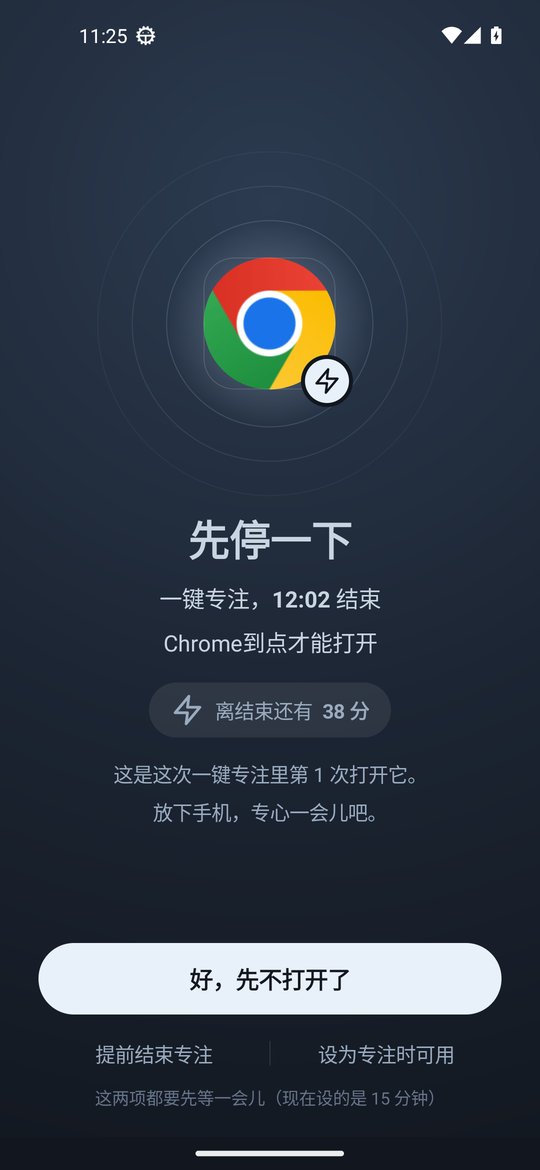
Pause before it opens
Android v0.1.8 can make an app wait 5 to 30 seconds before it opens, and 5 seconds longer with each extra open. Sitting there waiting is often enough to put the phone down.
Cap how many times it opens
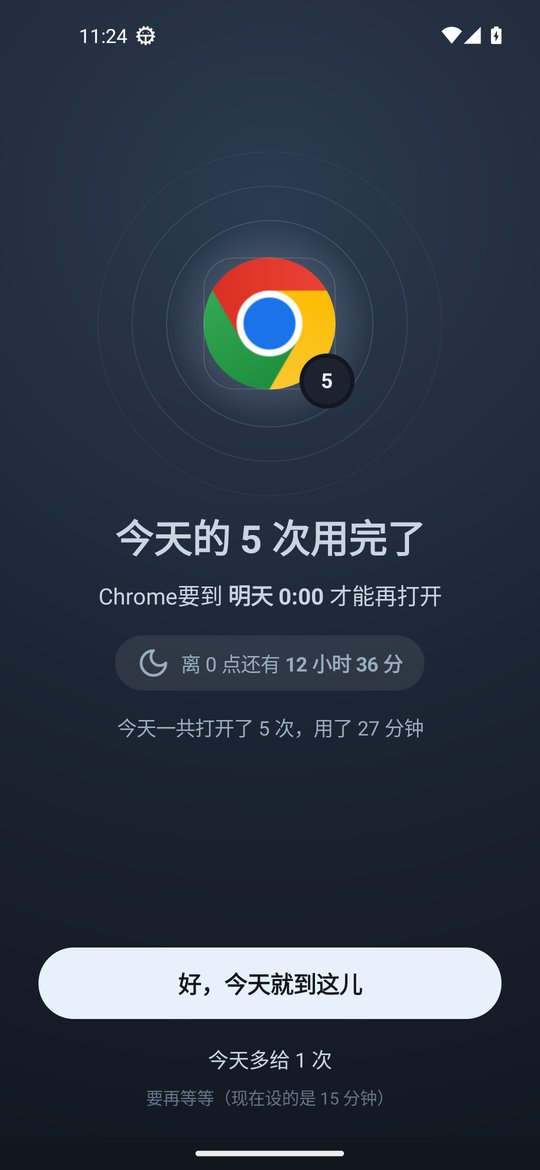
Also new in v0.1.8, an app can have a maximum number of opens per day. When the habit app runs out of opens, it stays closed.
Can't quit it? Set 0 minutes
On Android a daily limit can be 0 minutes, so that app stays closed all day while other apps work as usual.
Turn on strict mode and hand over the code
Since Android v0.1.6, strict mode means rules can be loosened only with an unlock code of at least 8 digits, and it turns on Anti-Uninstall. Give the code to your partner or a friend. If it is lost, you can request removal and wait 72 hours.
iPhone: schedules
The iPhone version is v0.1.5. Put short video apps into the times you tend to sit longest, such as after waking up, after lunch and before bed, and on iOS 16 and later the system blocks them in the background. The unlock code works there too. Daily limits, open limits and strict mode are Android only for now.
Parents: kids hiding in the bathroom with a phone
Set a daily total for games and videos
On a child's Android phone, give games and short video apps a daily limit. Time spent anywhere counts toward it, so hiding in the bathroom adds nothing.
Close them during homework and before bed
Create schedules for homework time and bedtime with games and videos in them. If your child takes the phone into the bathroom then, those apps still will not open.
Done with one game for good? Set 0 minutes
On Android a 0 minute daily limit keeps that game closed all day, every day.
Floating windows and picture-in-picture are blocked too
Some kids shrink a video into a floating window or picture-in-picture. Android v0.1.8 blocks a blocked app in split screen, floating windows and picture-in-picture as well. See the split screen page.
The child cannot undo it
The parent keeps the unlock code, turns on uninstall protection on Android and can add strict mode. Android timing uses device uptime, so moving the clock forward does not end anything early. See the clock change page.
iPhone: block games and videos on a schedule
If your child uses an iPhone, block games and videos during homework and at bedtime. With the block on deleting apps turned on, long press removal does not work. See the iPhone page.
Setup steps
Install Ripple
On Android install the latest APK and turn on the accessibility service. If you have an older version, update to v0.1.9 from Settings › About › Check for updates. On iPhone you need iOS 16 or later and Screen Time permission.
Find the apps that go to the bathroom with you
Usually short video, live stream, novel and game apps. The phone's own screen time stats will show them.
Set limits on them
On Android use a daily limit, an open limit or a pause before opening. On iPhone put them into the schedules where you scroll the longest.
Set the unlock code
On your own phone give the code to your partner or a friend. On a child's phone keep it yourself.
Turn on uninstall protection
Turn on Anti-Uninstall on Android and the block on deleting apps on iPhone.
FAQ
Can I still read messages in the bathroom?
Yes. Messaging, calls and any app without a limit keep working. Android can also turn off only WeChat Channels and Moments.
Is the pause before opening annoying?
You pick the length, starting at 5 seconds. Set it only on the one or two apps you cannot stop scrolling, and other apps open normally.
Can I open things up for a short while?
For normal rules, after the cooldown or with the unlock code. With strict mode on, only the unlock code works.
Does the iPhone version have daily limits or open limits?
Not yet. The iPhone version v0.1.5 has schedules, the block on deleting apps, clock change protection and the unlock code.
Does it cost money or need an account?
It is free with no ads and no account. Settings stay on the phone.