 Ripple
Videos in Split Screen, Small Windows and Picture-in-Picture
Most Android phones can split the screen or open an app in a floating window, and video apps keep playing in picture-in-picture when you leave them. At work a spreadsheet fills the screen while a show plays in the corner. While studying, an online course takes half the screen and short videos take the other half. Many blockers only check the app in front, so a video in a small window slips through. Kids learn this quickly: homework on top, videos below, and a parent walking past sees only the homework. Ripple for Android v0.1.8 closes that gap. The first part below is for adults setting limits on their own phone, and the second part is for parents. Both Android and iPhone are covered.
See it in 20 seconds
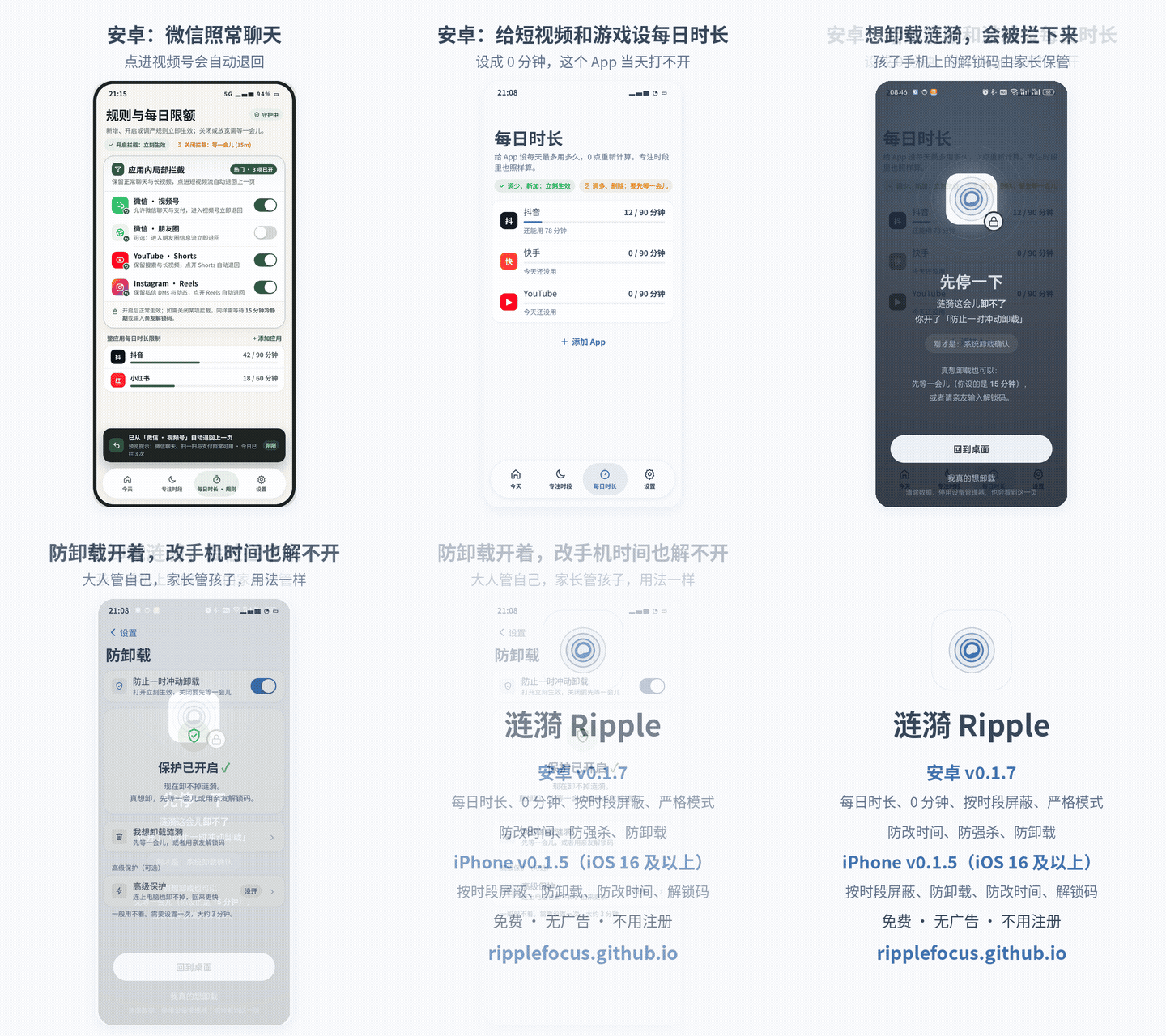
The demo shows the Android v0.1.8 screens with the Chinese interface. The last card lists what Android and iPhone each have. GIF version
Adults who keep a video running in the corner
A blocked app stays blocked in a small window
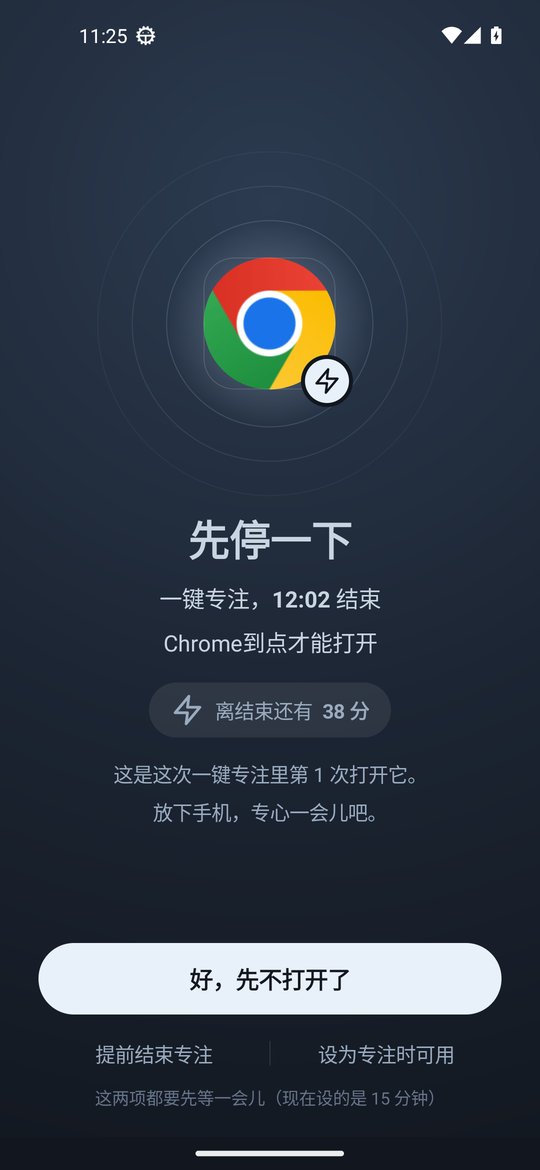
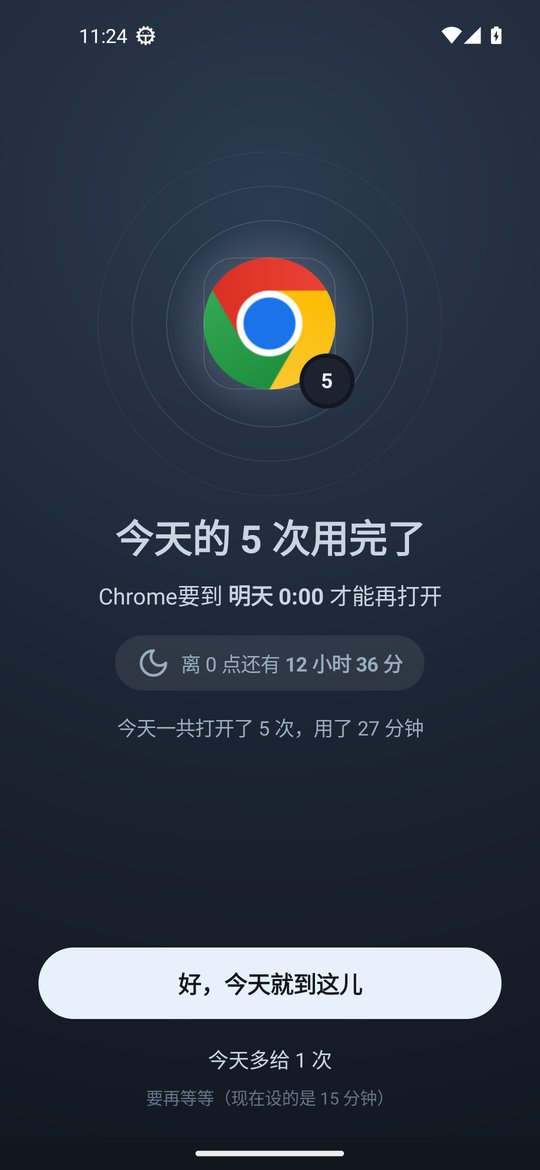
From Android v0.1.8, when an app is blocked by a focus schedule, quick focus or a used up daily limit, Ripple also blocks it in split screen, a floating window or picture-in-picture.
Small window time still counts
If a video app has one hour a day, the minutes watched in split screen and floating windows come out of that hour too.
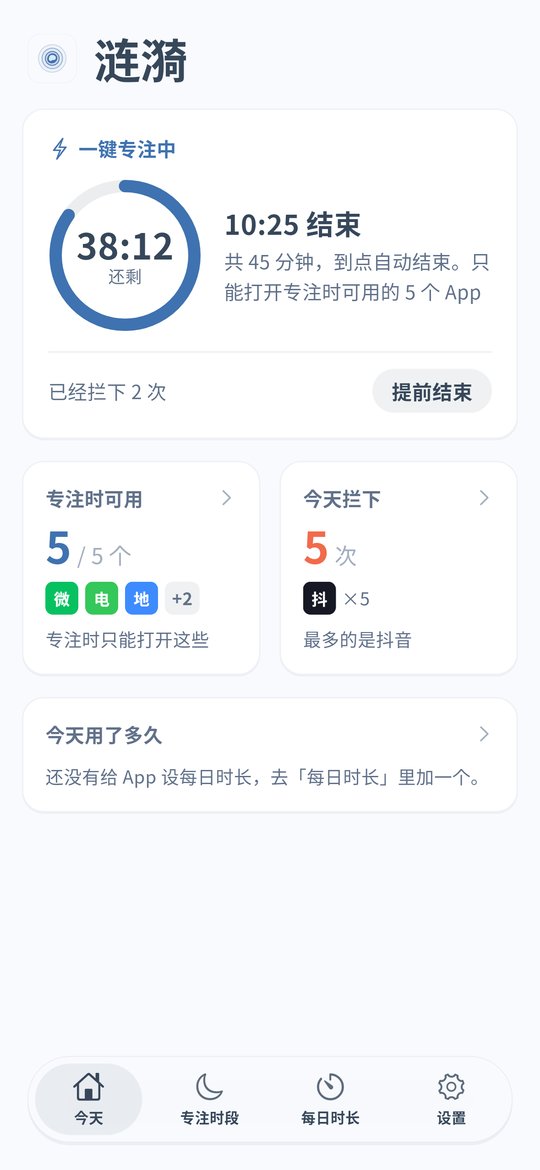
Tap quick focus before you start work
Before writing a report or studying, tap quick focus on the home screen and pick 45 or 90 minutes or a custom length. By default only the apps in your focus list stay open, so add the documents and chat apps you need for work.
Calls, alarms and calendar are left alone
The system phone, alarm and calendar apps are never blocked in split screen, so the calendar stays put during a meeting.
Loosening a rule takes a wait
Ending focus early or adding time needs a cooldown, 15 minutes by default, or the unlock code. A family member or friend can hold the code.
iPhone: schedules
The iPhone version is v0.1.5. Put video and social apps into a work or study schedule, and on iOS 16 and later the system blocks them in the background. Split screen blocking and quick focus are Android only for now.
Parents whose kids watch videos in split screen
Homework on top, videos below
When a child puts a homework app and a video app in split screen, the blocked side gets the block screen, split screen closes, and the phone goes back to the home screen. The homework app is not touched.
No live streams in picture-in-picture during class
If a child shrinks a stream or cartoon into picture-in-picture during an online class, Android v0.1.8 closes it for blocked apps. Add the class app to the focus list so lessons keep working.
Games in floating windows too
Some phones can open a game in a floating window. A blocked game is blocked there as well, and the time played counts toward the daily limit.
Quick focus before homework
Tap quick focus for 60 minutes on your child's Android phone and keep only study apps and the phone app. It ends by itself. For a fixed homework time, create a focus schedule.
The child cannot undo it
The parent keeps the unlock code, turns on uninstall protection and can add strict mode. Android timing uses device uptime, so moving the clock forward does not end anything early. See the clock change page.
iPhone: block videos and games on a schedule
If your child uses an iPhone, block videos and games during homework and bedtime. With the block on deleting apps turned on, long press removal does not work. See the iPhone page.
Setup steps
Install Ripple
On Android install the latest APK and turn on the accessibility service. If you have an older version, update to v0.1.8 from Settings › About › Check for updates. On iPhone you need iOS 16 or later and Screen Time permission.
Choose the apps to limit
Put short video, live stream and game apps into daily limits or focus schedules, and put study and work apps in the focus list.
Android: nothing extra to switch on
Split screen, floating window and picture-in-picture blocking is on by default in v0.1.8. Whenever an app is blocked, it is blocked in those windows too.
iPhone: set a schedule
Put video and game apps into work, homework or bedtime schedules.
Set the unlock code and uninstall protection
For your own phone give the code to family. On a child's phone keep it yourself. Turn on Anti-Uninstall on Android and the block on deleting apps on iPhone.
FAQ
Can apps that are not blocked still use split screen?
Yes. Ripple only acts on apps that are blocked at that moment. Other apps keep split screen and floating windows.
Does time in a small window count?
Yes. From Android v0.1.8, time in split screen, floating windows and picture-in-picture counts toward today's usage.
Will a phone call or alarm in split screen be closed?
No. Calls, alarms and calendar are not affected.
Does the iPhone version block split screen and small windows?
Not yet. The iPhone version v0.1.5 has schedules, the block on deleting apps, clock change protection and the unlock code.
Does it cost money or need an account?
It is free with no ads and no account. Settings stay on the phone.