 Ripple 涟漪
Ripple
Slow down, one ripple at a time
A free, local-only Android app blocker built for moments when your willpower drops. Tightening rules takes effect immediately; relaxing limits or uninstalling requires waiting through a mandatory cooldown first. Works for adults quitting short-form video and parents managing a child’s phone.
1a185a66bd79b564ff398c1dbdac33b5a739697ac3d70e47068067e7344b553aWhat It Does
15-Min to 2-Hour Mandatory Cooldown
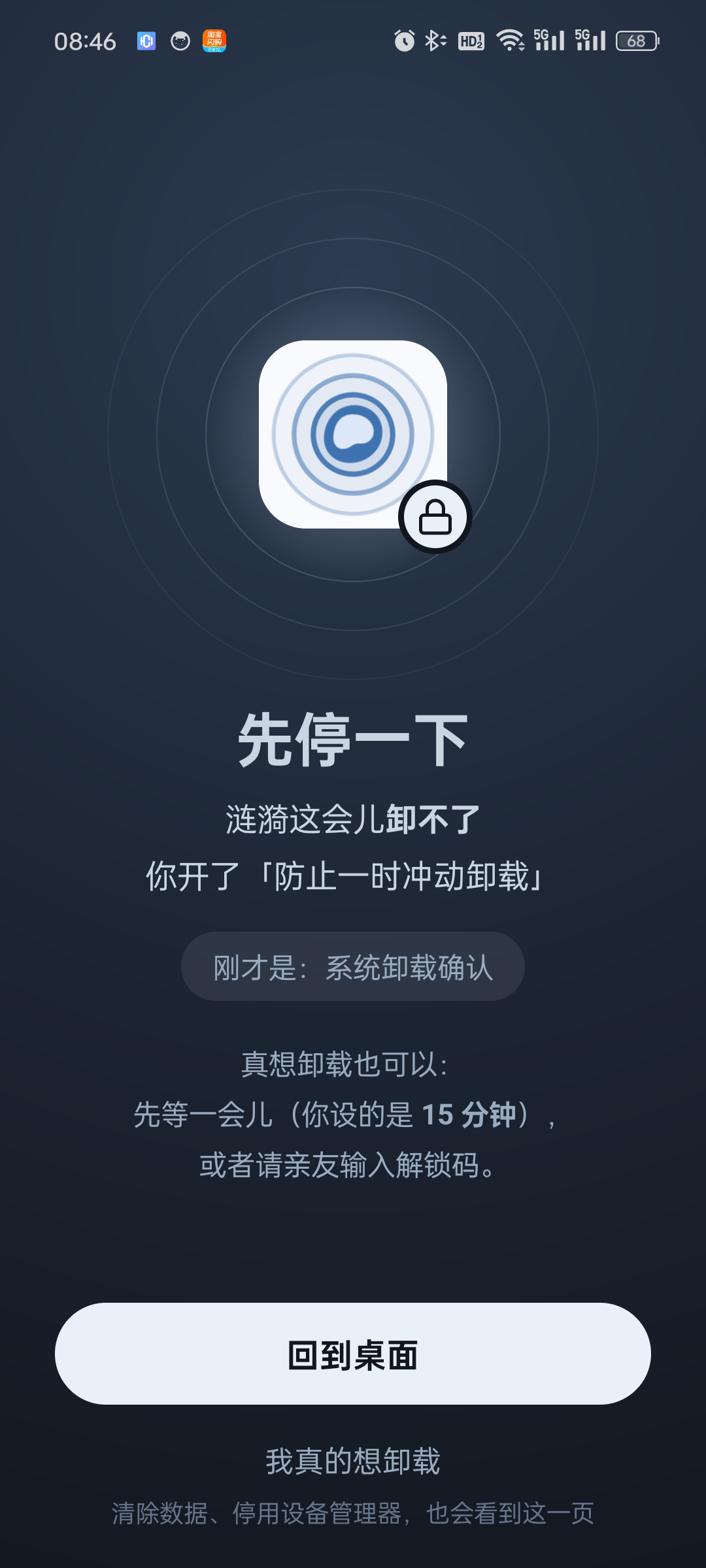
Tightening rules is instant. Adding time, skipping a focus schedule, pausing protection, or uninstalling requires waiting through a countdown timer (15 min by default, up to 2 hours, doubled for short-video apps) or entering a Friend / Parent Unlock Code.
Focus Schedules & Per-Session Caps
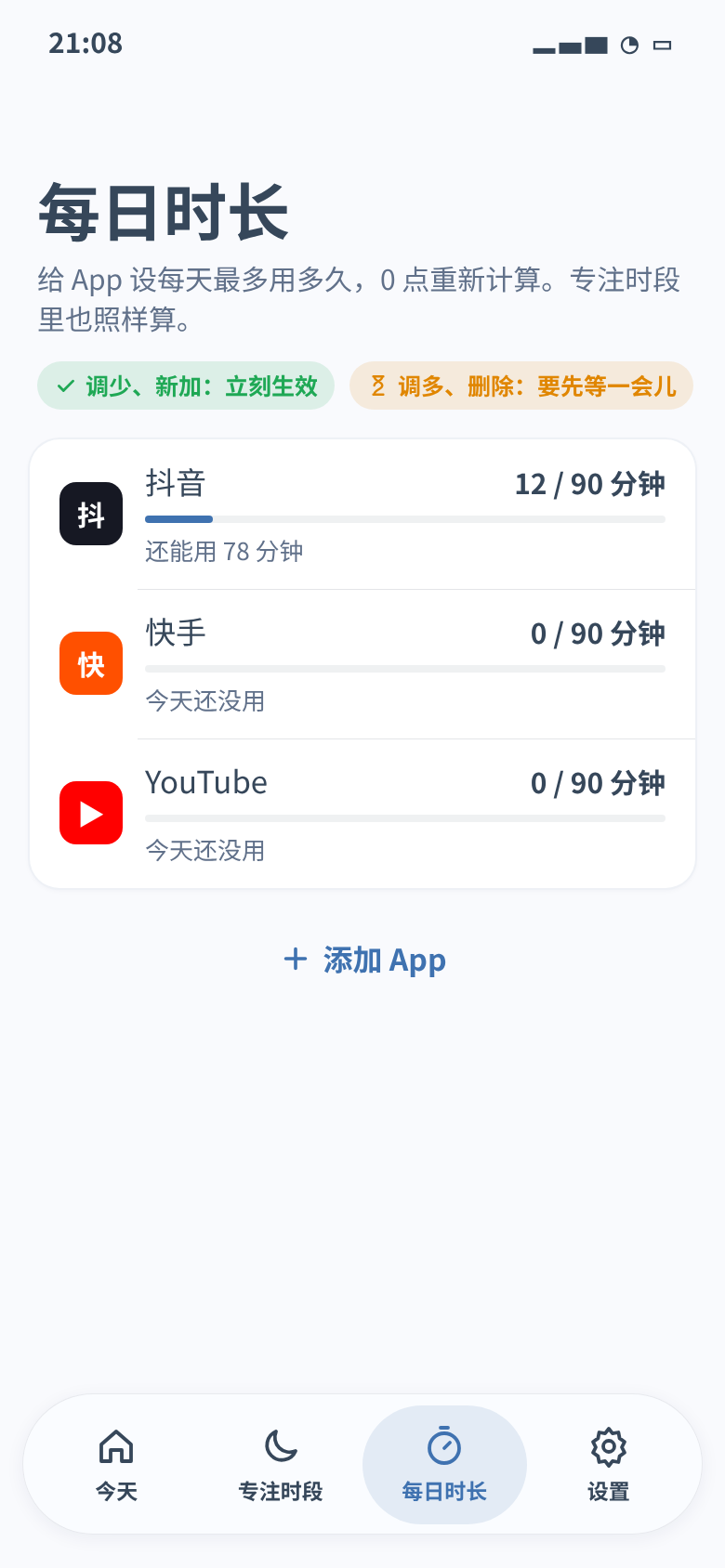
Ships with a 23:30 to 07:00 sleep schedule and 90-minute daily caps for TikTok, YouTube, Douyin, and Kuaishou. Allowed apps during focus hours have a 30-minute per-session cap so you do not scroll embedded feeds all night.
Two-Tier Anti-Uninstall & Auto-Heal
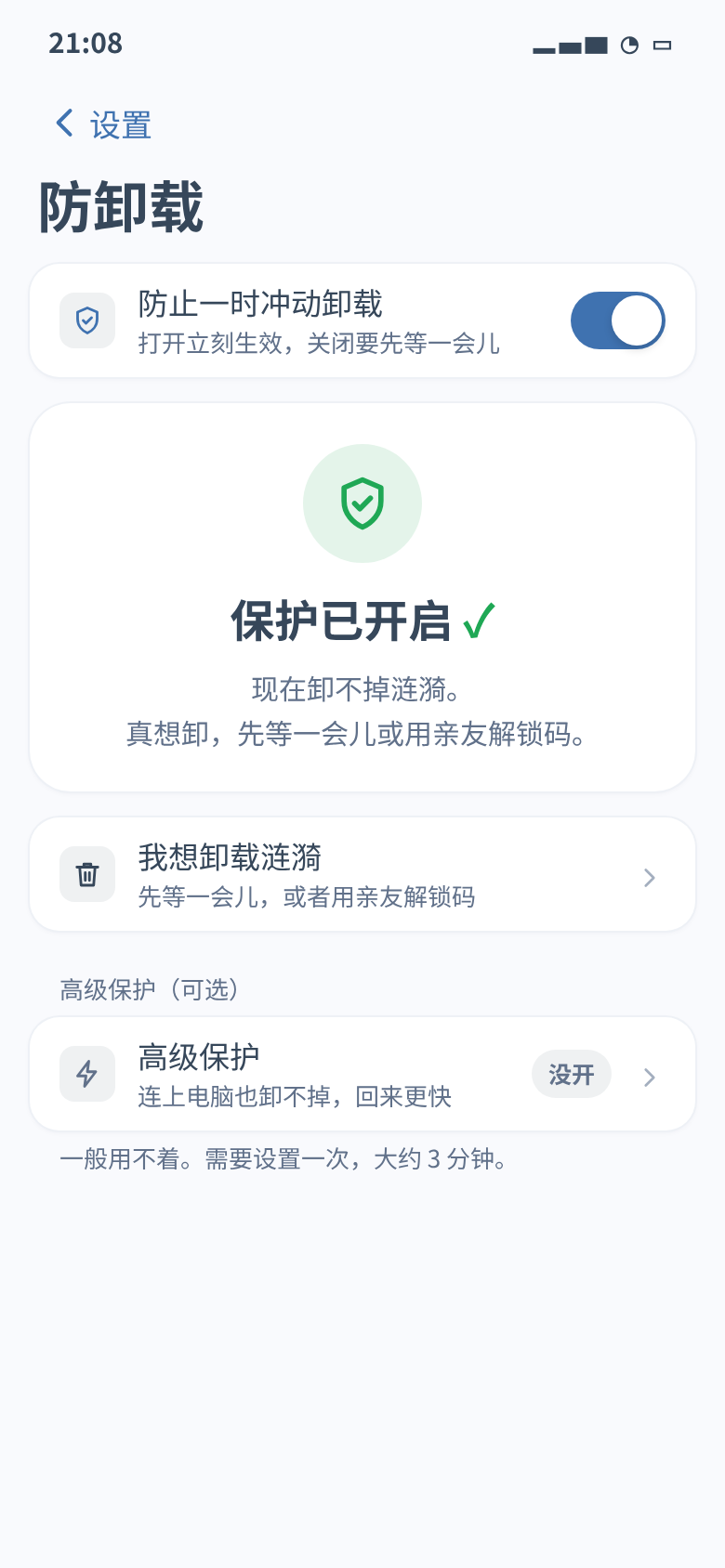
Basic protection uses Accessibility + Device Admin to block impulsive uninstalls, force-stops, and storage clearing. Optional Advanced Protection uses Android 11+ on-device wireless debugging (no PC needed) to lock package removal and auto-heal in ~2.5s if swiped from Recents.
System Essentials Stay Untouched
Phone calls, SMS, alarms (including full-screen ringing screens), calendar, system camera, keyboards, file pickers, TalkBack, and NFC wallets are permanently allowed and never count toward your whitelist limit.
SystemClock.elapsedRealtime() (time since boot). Changing the phone’s date, time, or timezone will not skip the countdown or reset daily limits early.Real-Device Screenshots
Tested on Android 14 (OPPO ColorOS 14). v0.1.1 includes full English and Simplified Chinese UI support (follows system language by default, or switch manually in Settings).
How to Install
- Download the APKTap “Download Android APK v0.1.1” above to download
ripple-v0.1.1.apkdirectly from GitHub Releases. Future updates can be installed in-place via Settings › About › Check for Updates. - Allow “Install Unknown Apps”On your first install, Android will ask for permission to install from your browser. Tap Settings, enable “Allow from this source”, and go back.
- Complete InstallationConfirm the installation prompt. Because Ripple is distributed directly outside the Play Store, OEM ROMs may display a standard unknown-source warning.
- Enable 2-Step Basic ProtectionOpen Ripple and follow the 1-minute onboarding to enable Accessibility Service (无障碍) and Device Administrator (设备管理器). No computer is needed.
Settings › General & Appearance › Language / 语言.How Ripple Compares
| Feature | Ripple (涟漪) | Google Digital Wellbeing | AppBlock / Opal / Stay Focused |
|---|---|---|---|
| Friction When Relaxing Limits | 15m–2h monotonic cooldown or Friend/Parent PIN | 1-tap “Ignore limit” | Strict Mode requires paid subscription |
| Clock Tamper Resistance | Yes (SystemClock.elapsedRealtime()) |
No (changing date resets quota) | Partial |
| Anti-Uninstall & Auto-Heal | 2-tier: Admin + On-device Wireless Debugging (~2.5s heal) | None | Often killed by ColorOS / MIUI / HyperOS |
| Whitelist Feed Protection | 30-min per-session cap for allowed apps | No | Paid tier only |
| Price & Privacy | 100% Free, No Ads, No Account, Local-Only | Free, tied to Google Account | $30–$100/year, cloud telemetry |
Frequently Asked Questions
Why is Ripple distributed as a direct APK instead of on Google Play?
Ripple uses Accessibility Service, Device Administrator, and optional on-device wireless debugging (app_process) to prevent impulsive uninstallation and auto-recover after being killed by aggressive OEM battery managers. Distributing directly via GitHub Releases allows these features to work without compromise. Every release is signed with the same certificate so you can update in-place without disabling protection.
Can parents use Ripple to manage a child’s Android phone?
Yes. Set the daily limits for short-video/game apps and the nightly sleep schedule, set the cooldown waiting time to 2 hours, configure a Parent Unlock Code that only you know, and turn on Anti-Uninstall (plus optional Advanced Protection). Your child will not be able to bypass limits by changing the system time, swiping Ripple away in Recents, clearing app data, or rebooting the phone, while calls, SMS, alarms, and school apps continue working normally.
How does “Advanced Protection” work without a computer or Root?
On Android 11 and above, Android includes built-in Wireless Debugging. When you pair Ripple once using the 6-digit pairing code in the notification shade, Ripple connects to the local ADB daemon on 127.0.0.1 and starts a lightweight background helper (ripple_ss) running under the shell user (UID 2000). This helper locks package uninstallation via DevicePolicyManager, grants WRITE_SECURE_SETTINGS, and automatically restarts Ripple’s Accessibility service within ~2.5 seconds if swiped from Recents.
Does Ripple collect or upload any personal data?
No. Ripple has no user accounts, no cloud servers, no analytics SDKs, and no ads. All rules, daily usage stats, and 7-day block logs stay strictly on your phone. The INTERNET permission is used only when you manually tap “Check for Updates” (which fetches from GitHub Releases) and when connecting to 127.0.0.1 for on-device wireless debugging.
How do I uninstall Ripple if I no longer need it?
- If Anti-Uninstall is off: uninstall it like any normal Android app.
- If Anti-Uninstall is on: open Ripple › Settings (设置) › Anti-Uninstall (防卸载) › I want to uninstall Ripple (我想卸载涟漪). Wait for the cooldown timer to finish (or enter your unlock code), and Ripple will automatically release the uninstall lock, deactivate Device Admin, and open the system uninstall dialog.
You will never be locked out or forced to factory-reset your phone.